I usually have three to five Claude Code sessions running at once. One is fixing a bug in the backend. One is babysitting a build. One is reviewing a PR. One is writing a migration. Until a few weeks ago I was tracking all of them in VS Code's terminal tabs — alt-tabbing back and forth, hunting for the one that was actually waiting on me, and missing the moment one of them finished and went idle.
So I built Glance.
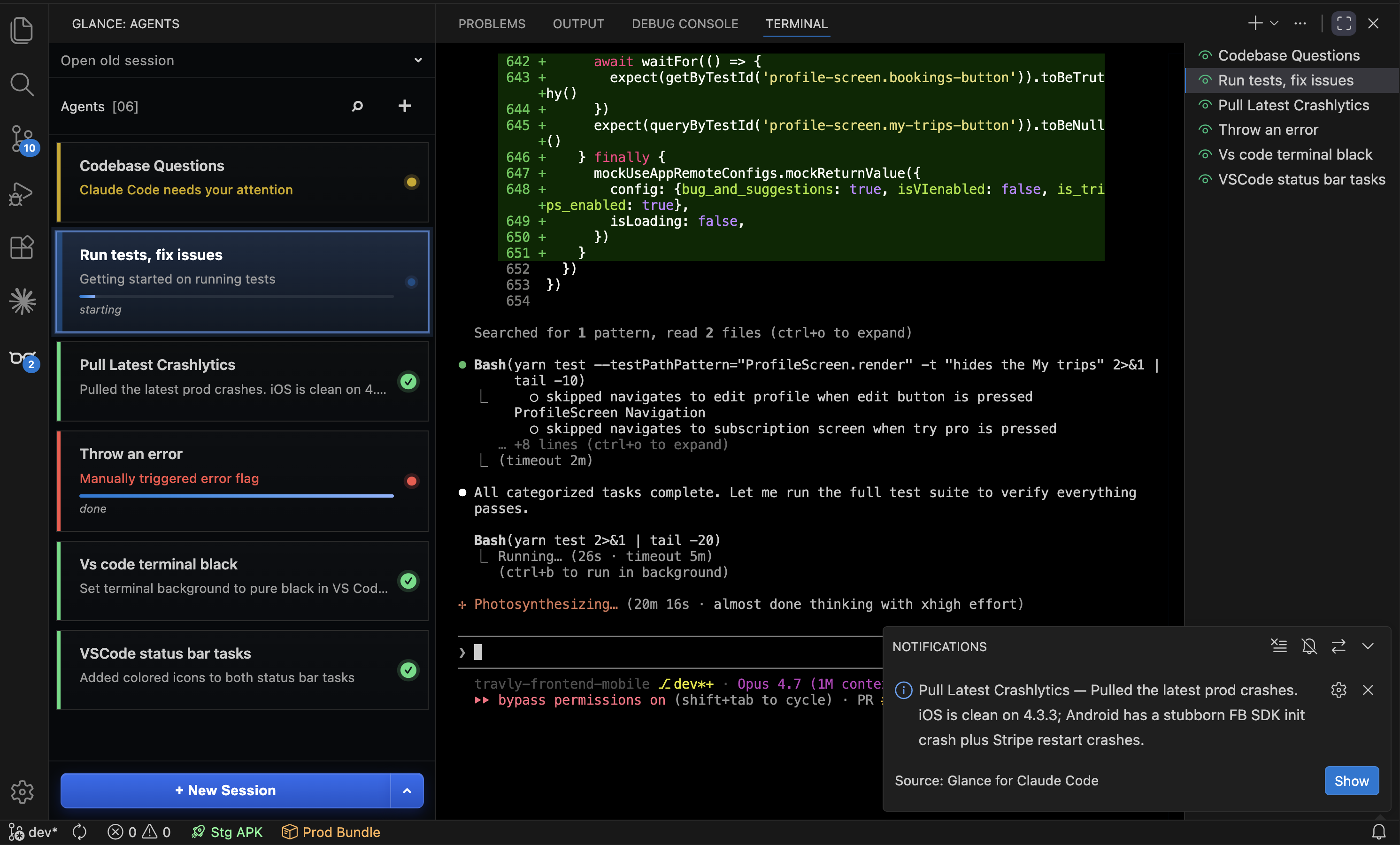
Glance is a VS Code extension that runs your Claude Code sessions side-by-side in a sidebar panel. Each session gets a card. The card shows what the agent is doing, how far along it is, and whether it needs you. When something is waiting on you, the activity bar lights up. When a background turn finishes, you get a toast.
It's free, MIT-licensed, and on the Marketplace as hamzawaleed.glance-claude-code.
The problem I actually had
The real pain wasn't running multiple sessions — that part Claude Code handles fine. The pain was knowing which one to look at. Terminal tabs are silent. They don't tell you "this one finished" or "this one is asking for permission." So I'd get pulled into one session, lose context on the other four, and come back to find two of them had been idle for ten minutes.
I tried scripting around it — checking transcript files, scraping shell output, parsing emoji markers I'd had Claude print into the terminal. Everything I built was brittle. Terminals lie. Buffers wrap. ANSI escapes get in the way.
The version that actually works does something different.
What a card shows
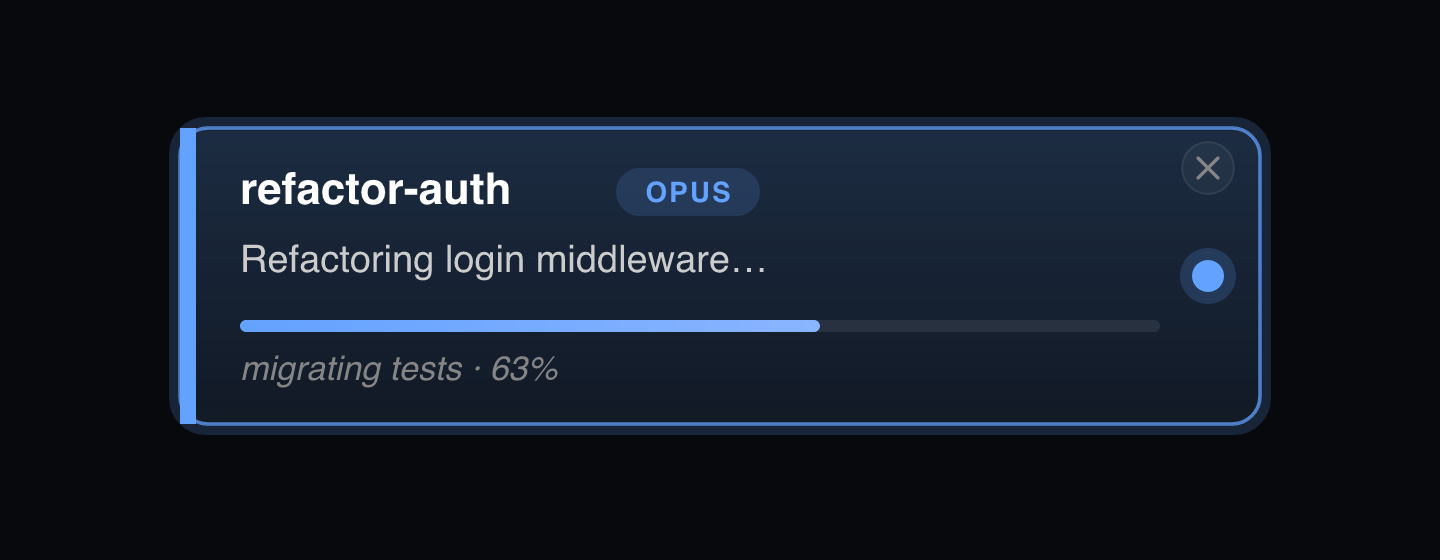
Every card carries five fields:
- Title — a 2–4 word label. The agent claims one on its first turn; you can double-click to rename it and the rename sticks.
- TL;DR — one short sentence describing the latest outcome. "Refactored the auth flow." "Waiting on the migration to finish."
- Progress — a bar with a label, for multi-step work. Hidden on trivial turns.
- Needs input — when set, the card lights yellow.
- Error — when set, the card lights red.
No log scraping. No regex over emoji. The agent itself reports its state — and that's the entire trick.
The trick: Claude updates its own card
Glance ships a tiny MCP server that exposes one tool: update_state. The extension launches Claude with --mcp-config pointing at this server, plus a system prompt that says, in roughly these words:
After EVERY response — short, long, trivial, planning, mid-tool-chain — your LAST action MUST be a call to
update_state, with ALL FIVE fields populated.
Claude follows the instruction. The tool writes a small JSON payload to a per-agent state file on disk. A chokidar watcher in the extension picks up the file change, diffs against the last known state, and pushes a partial update to the React webview. The card re-renders.
That's the whole pipeline:
Claude tool call
  → MCP server writes JSON to state/<agentId>.json
  → chokidar watcher fires
  → extension diffs and posts agentUpdate to the webview
  → card re-renders
I tried the obvious alternative first — --append-system-prompt — but the shell echoed the prompt into the visible terminal on launch, which was awful. Returning the instruction in the MCP server's initialize response keeps it invisible.
Three runtimes per agent
Behind every card, three things are running:
- The extension host. Owns the agent list, the global hook watcher, and the on-disk persistence. Spawns each Claude session.
- The Claude process. Runs in a
node-ptychild shell, wrapped in avscode.Pseudoterminalso VS Code owns the scrollback. From the user's perspective, it's a normal terminal — you type, Claude responds, history scrolls. - The MCP server. A small Node script bundled with the extension, the only path Claude uses to mutate the card.
Hook events flow on a separate channel. Stop, UserPromptSubmit, Notification, and SessionStart are wired to a short Node script that drops JSON files into a watched directory. The extension reads those to know when a turn started, when it finished, when you /clear'd the session, when you /compact'd it.
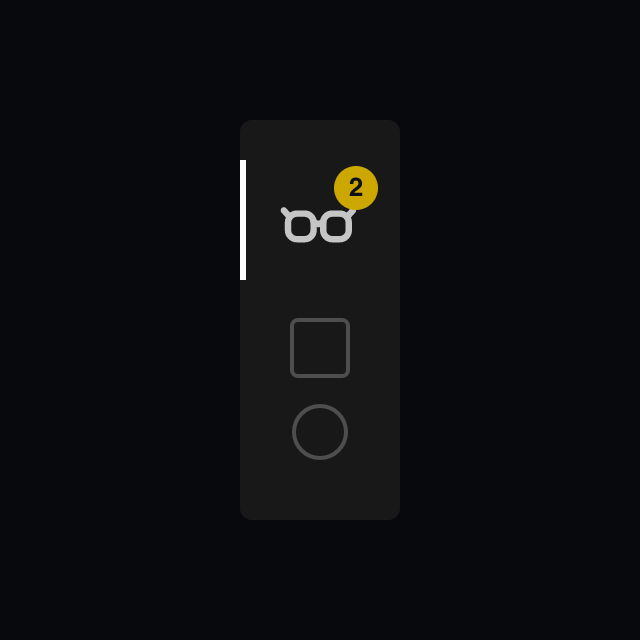
The activity-bar badge — the little count that says "two of your agents need you" — is a derived count of agents.where(needsInput || error). It recomputes on every update, never tracked incrementally, so it can't drift.
Sessions stick around
Close VS Code. Reopen it. Every card is still there. Reload-the-window doesn't kill them either.
The trick is that cards render from the last-known state immediately (it's just a JSON file on disk), but the actual Claude process isn't restarted. When you click a dormant card to focus it, Glance shells out to claude --resume <sessionId> to revive that specific session. Until you click, it costs nothing.
Agents you spawned but never prompted are filtered out — they don't have a transcript on disk yet, so claude --resume would fail with "no conversation found." Only agents that actually got a first prompt are persisted.
Toasts you don't mind
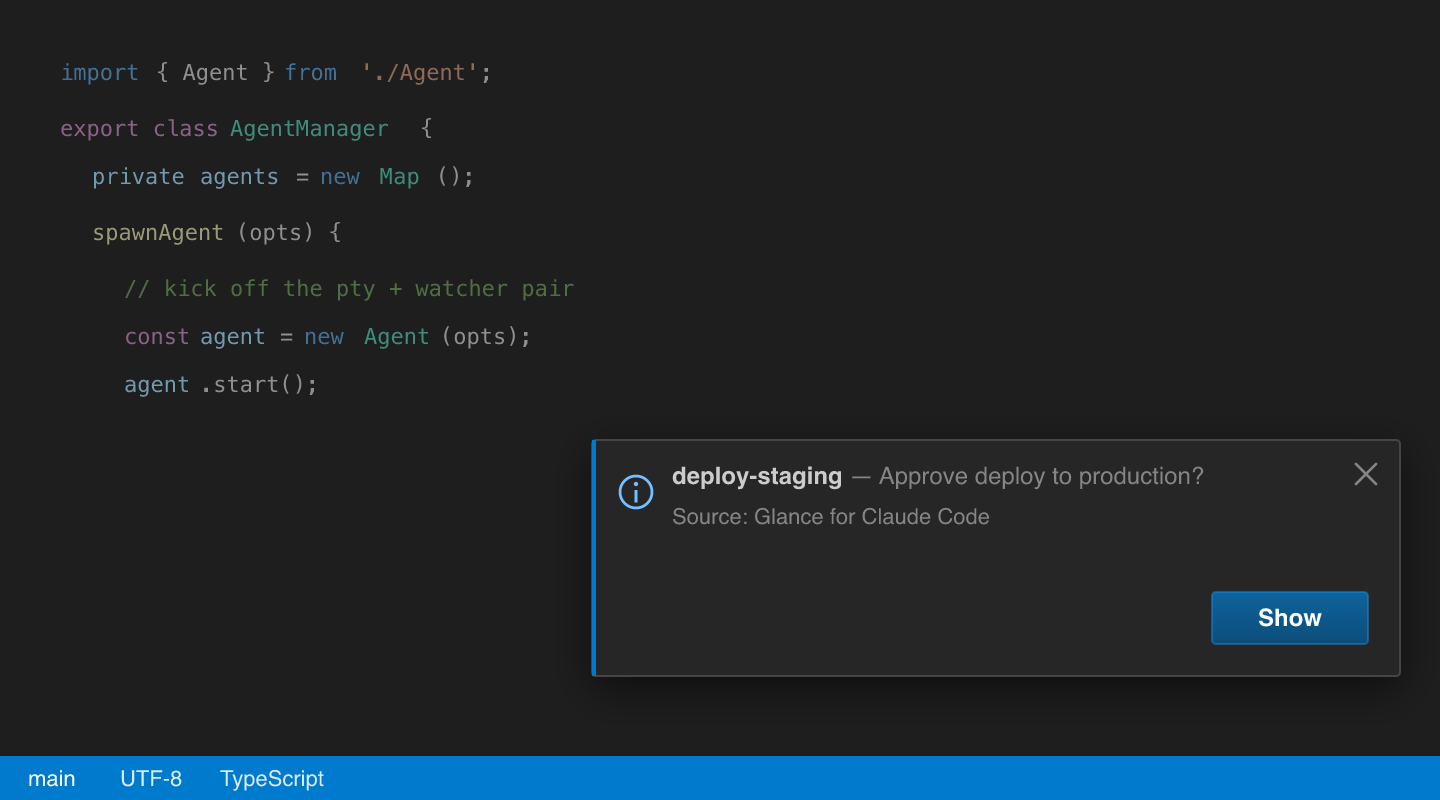
When a background turn finishes — meaning you're not actively looking at that agent's terminal — Glance fires a native VS Code toast. The toast carries the agent's name and the latest TL;DR or needs-input reason. A Show button on the toast jumps you straight to that terminal.
The toast is suppressed when you are already looking at the agent's terminal. No "your work is done" ping for work you're staring at.
There's a short audio tone too, configurable.
What I learned building it
A few unobvious things:
- Tool-output as a UI channel is underrated. The MCP server returns a one-line "Agent card updated." string on every call, which is what Claude sees. Returning nothing makes Claude paranoid that the call failed and call again. Returning too much wastes tokens. One short confirmation is the sweet spot.
- Streaming flags are tricky. Claude's idle "Notification" hook fires after ~60s of silence — same hook that fires when it's blocked on a permission. I had to gate the "needs attention" flag on whether a stream was active, otherwise every idle agent slowly turned yellow.
node-ptywon't bundle. The native binding has to stay external in esbuild, and the spawn-helper needschmod +xafterpnpm installbecause npm tarballs strip the executable bit. Without that, VS Code's hardened runtime refuses toposix_spawnpit.- State-file polling beats native fs events on macOS sometimes. Chokidar in polling mode (250ms) ended up more reliable than fsevents for the small JSON writes the MCP server does.
Try it
If you spend any real time in Claude Code and have ever lost track of which terminal was doing what:
- Install from the VS Code Marketplace, or search Glance for Claude Code in the Extensions panel.
- Click the Glance icon in the activity bar, hit + New Session (or
Cmd+Shift+G/Ctrl+Shift+G). - Spawn a few more. Watch them work.
Source is on GitHub at hamzawaleed0102/glancer-vscode. Issues and PRs welcome.